


MeloTick
3.4191.00 Reviews
App Specs
- Version
- 1.3.5
- Updated On
- License
- Free
- Downloads
- 1,000,000+
- Developer
- Dorothy Craigie
- Categories
- Productivity
- Platform
- Android
Screenshots
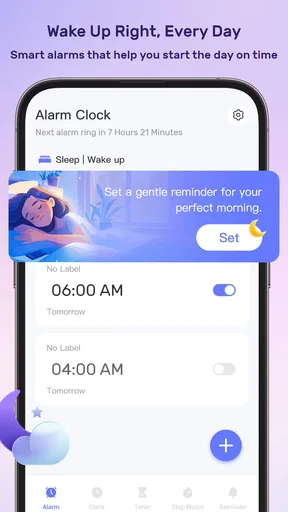
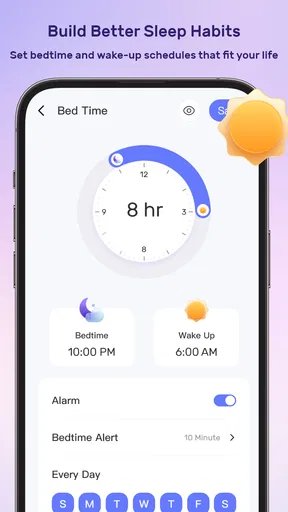
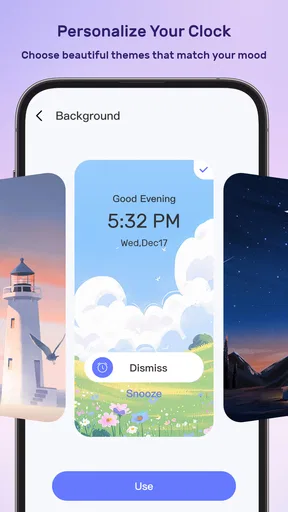
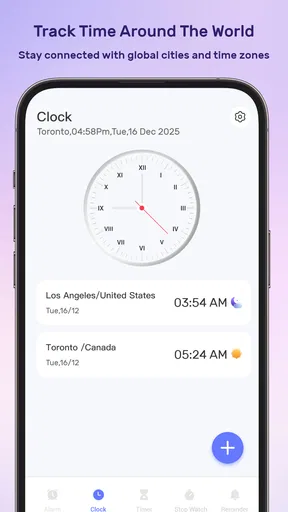
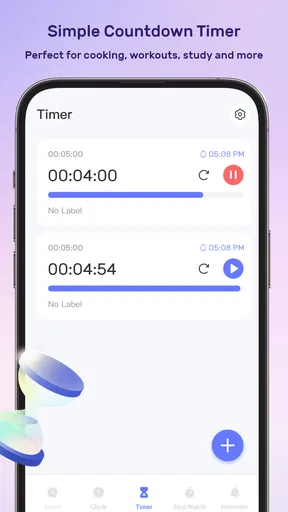
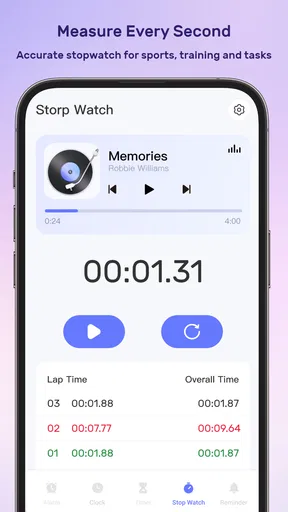
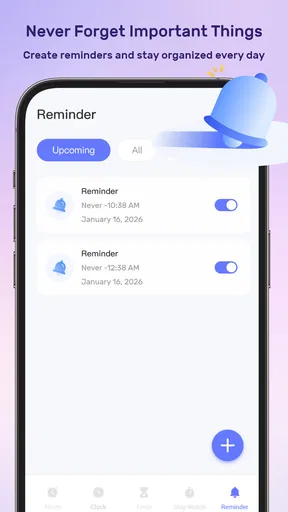
 Analysis by AppCompare
I tend to distrust productivity apps that promise to fix an entire life with one tap. My experience with MeloTick is more practical: it is a free productivity app from Dorothy Craigie that brings waking up, tracking time, and remembering tasks into one place. That combination makes sense for people whose day falls apart between an alarm, a busy schedule, and small obligations that are easy to lose.
It is not a complete replacement for every calendar, notes app, timer, or reminder tool. Instead, I see it as a lightweight daily control panel. Its strongest value appears when I use it as part of a repeatable system rather than opening it only when I am already overwhelmed. That distinction matters, because an app can help me remember an intention, but it cannot decide which intentions deserve space in my day.
Building a calmer workflow around MeloTick
I find a calmer workflow starts with deciding what I want the app to help me notice, not with filling it up. A quick end-of-day review can reveal whether missed tasks came from forgetfulness, unrealistic timing, or too many commitments. That distinction helps me make a useful adjustment the next morning instead of simply adding more reminders.
Start with the problem before opening the app
Before using this app, I would first identify the points where my routine usually breaks. Do I oversleep? Do I underestimate how long ordinary work takes? Do I remember important tasks at the wrong moment? These are different problems, even though they all feel like “poor productivity.” MeloTick is most useful when I connect each problem to a simple habit instead of expecting one screen to solve everything.
For example, I might use its waking function to protect the start of the day, time tracking to understand where my working hours actually go, and its remembering function for commitments that would otherwise stay in my head. The practical insight is to give each part a clear job. If I mix every thought, appointment, and vague ambition into one stream, the app becomes another source of noise.
I also recommend beginning with a small routine. A new user may be tempted to record every activity immediately, but that creates friction before the benefits are visible. I would start with one morning action, one important work block, and a short list of things that must not be forgotten. After several days, it becomes easier to see whether the workflow is helping or merely demanding more attention.
Capturing obligations without creating a second inbox
The remembering side of the app works best when I treat it as a capture point, not as a storage room for every possible idea. When something needs action, I record it in a way that makes the next step obvious. “Deal with paperwork” is too vague to guide me. “Open the document after lunch” is more useful because it connects the obligation to a moment and an action.
Worth Reading Before You Choose

EA SPORTS FC Mobile 26 Is a Bigger Football Game, but It Takes Time

Flipboard Shows What News Apps Must Do Beyond the Feed

Switching to Android Auto Means Rethinking Your Driving Routine

Google Calendar Makes a Crowded Week Easier to Manage

Ludo King Makes the Most of the Minutes Between Plans

Baby Panda World Brings Quick Play to Modern Phones, but Its Game Library Feels Busy
This is one of the less obvious trade-offs of a combined productivity tool. Keeping waking, time, and memory-related tasks together can reduce app switching, but it can also encourage me to throw unrelated items into one place. I get better results when I review the list at a predictable time and remove anything that no longer deserves attention.
A useful workflow is to capture quickly during the day, then organize later. I would not stop in the middle of a meeting or work session to perfect labels or wording. The first pass should protect my attention. The second pass should turn rough entries into decisions: do it today, schedule it, keep it for later, or discard it.
Using time tracking as feedback rather than judgment
Time tracking can easily become a performance test, which is why I prefer to use it as evidence. If I think a task takes thirty minutes but repeatedly spend much longer, that tells me something about planning, interruptions, or the task itself. The useful question is not whether I was “good” or “bad” that day. It is whether my future plan should change.
For a realistic weekday, I might begin with the waking routine, record a focused work period, pause when I move to messages, and capture a personal errand before it disappears from memory. At the end of the day, I can compare what I intended to do with what actually received time. This exposes a common problem: a list may look reasonable while the calendar hidden behind it is impossible.
I would avoid tracking every minute forever. Continuous logging can become exhausting, especially for people whose work changes rapidly. A better approach is to use time tracking during a planning experiment: observe a typical workday, identify the largest sources of drift, and then simplify. The app becomes a mirror for decisions, not a supervisor demanding perfect records.
Turning mornings into a repeatable routine
The waking function is most valuable when it is connected to what happens after the alarm. An alarm alone tells me to stop sleeping; it does not tell me how to begin. I would pair it with a small sequence that is easy to repeat: get up, check the day’s genuinely important commitments, and choose the first action before opening distracting apps.
That sequence should remain short. If the morning routine requires too many checks, it may become something I postpone. I find that the best use is to let the wake-up moment trigger a decision, not a long planning session. The goal is to leave the bedroom knowing what deserves attention first, rather than spending the first part of the day reconstructing the schedule.
There is also a useful exception. If my sleep schedule is irregular or my mornings are controlled by care responsibilities, a rigid wake-up workflow may not fit. In that case, I would use MeloTick for remembering flexible commitments and time awareness, while keeping the morning plan deliberately loose. A sustainable system must adapt to real life instead of treating every day as identical.
A practical daily loop
I would organize a normal day into four passes. First, I capture anything that could otherwise occupy my thoughts. Second, I choose a small number of actions that genuinely matter today. Third, I track enough time to notice whether my plan matches reality. Finally, I review what remains before preparing the next day.
The review is where the app can become more than a digital checklist. I can ask why an item survived untouched. Was the wording unclear? Was the timing unrealistic? Did an urgent request displace it? Each answer leads to a different adjustment. Rewriting a task helps one problem; moving it helps another; deleting it may be the most honest choice.
One advanced habit I would recommend is separating “remember this” from “do this now.” Not every reminder deserves immediate action. Some items simply need to be safe from forgetting, while others need a protected block of time. Keeping those roles distinct prevents a long memory list from masquerading as a workable schedule.
Where the workflow can fail
The first failure point is over-collection. Because the app brings several productivity needs together, I may feel encouraged to record everything. That feels responsible at first, but an unreviewed list becomes a museum of intentions. I would set a regular clearing session and be willing to delete tasks that no longer reflect my priorities.
The second failure point is inaccurate time tracking. If I forget to start or stop a session, the record becomes misleading. That does not make the feature useless, but it means I should interpret patterns cautiously. A rough record can still reveal that mornings are fragmented or that administrative work expands, while a single imperfect entry should not drive a major conclusion.
The third problem is relying on memory prompts without changing the surrounding behavior. A reminder can bring an obligation back to my attention, but I still need a realistic moment and enough energy to complete it. If I repeatedly postpone the same item, the answer may be to renegotiate the commitment, break it down, or remove it—not to create more reminders.
There is also a human limitation: productivity systems require maintenance. MeloTick can reduce the number of places I check, but it cannot remove the need for a short review. Anyone looking for a completely automatic system may find this disappointing. I consider that a fair trade-off, because automation without review often produces clutter with a more polished appearance.
How it compares with familiar alternatives
Compared with a basic alarm app, MeloTick offers a broader productivity context because waking is considered alongside time and things to remember. A dedicated alarm may be preferable for someone who wants advanced sleep-focused controls or no task-management layer at all. For a person who wants the alarm to lead into a simple daily plan, this combined approach is more coherent.
Compared with a traditional notes app, MeloTick is better suited to items that need follow-through rather than long-form writing. I would still choose a notes tool for research, journaling, meeting minutes, or detailed reference material. Its advantage is not replacing notes; it is giving small commitments a more active place in the day.
Compared with a full calendar and task-management system, MeloTick may feel less intimidating for personal routines. Larger systems are usually better when several people, complex projects, deadlines, or shared schedules are involved. I would choose this app for a focused personal workflow, especially when the main issue is remembering and estimating rather than coordinating a large operation.
The important comparison is not the number of features but the amount of friction. If switching among separate alarm, timer, reminder, and calendar tools causes me to abandon the routine, consolidation has real value. If I already maintain a carefully structured system and need deep project controls, adding another app may create duplication instead of clarity.
Who is likely to benefit most
I think MeloTick is a good fit for students, independent workers, busy households, and anyone whose day contains many small commitments. It is especially appealing to people who do not want to build a complicated productivity setup but still need more structure than a phone alarm and a loose notes list can provide.
It can also help someone who is beginning to study their work habits. Time tracking gives a more grounded view of the day, while the remembering function protects small obligations from disappearing. The combination is useful for discovering whether the real issue is forgetfulness, poor estimates, too many commitments, or a morning routine that starts without direction.
I would be more cautious about recommending it to teams managing shared work, people who need elaborate project dependencies, or users who want a specialized sleep platform. Those needs call for tools designed around collaboration, detailed planning, or sleep analysis. I would also skip it if I already have a trusted system that I review consistently; changing systems is not automatically an improvement.
What the current release means for new users
The app is currently at version 1.3.5 and supports devices running Android 7.0 or newer. That makes compatibility worth checking before installation, particularly on an older phone. The developer behind it is Dorothy Craigie, and the app is listed as free, so trying its workflow does not require a purchase decision first.
Its audience is clearly not limited to children: the content rating is Mature 17+. That is a detail parents should consider before treating it as a family routine tool. For adult users, it simply places the app in a more mature usage context and is another reason to review the store requirements for the device being used.
The app has passed the early-experiment stage in terms of reach, with over a million installs. Its average rating is three and a half stars from around four hundred fifty ratings, alongside around one hundred ninety written reviews. I read that as a reason to approach it with realistic expectations: there is enough public use to make it worth testing, but the rating does not suggest universal satisfaction.
My recommendation after using the workflow
I would recommend MeloTick to a friend who wants one modest system for waking up with intention, observing where time goes, and keeping everyday obligations visible. I would suggest starting with a narrow setup rather than importing an entire life into it. Give the app a week of consistent use, review what actually helped, and remove anything that creates more maintenance than value.
The strongest result comes from treating MeloTick as a daily feedback loop, not a magical memory replacement. Capture quickly, review deliberately, track selectively, and let the evidence change the plan. That approach makes the app useful even when the day goes wrong, because a missed task becomes information instead of a reason to abandon the whole system.
My final view is positive but measured. MeloTick’s appeal is the connection between the beginning of the day, the time spent inside it, and the commitments I do not want to lose. Its limitations appear when I need advanced collaboration, deep project management, or highly specialized sleep tools. For personal productivity at a manageable scale, however, it offers a sensible starting point—provided I keep the routine small, review it regularly, and remain willing to say no to tasks that should never have been added.
Pros
- Simple interface makes creating and managing music reminders quick.
- Useful for organizing practice sessions
- rehearsals
- or performance preparation.
- Notifications can help maintain a consistent daily music routine.
- Lightweight design should work smoothly on most modern mobile devices.
- Suitable for musicians who prefer focused tools without unnecessary features.
Cons
- Limited value for users who do not regularly practice or perform music.
- Reminder overload may become distracting if many tasks are scheduled.
- Customization options may feel basic for advanced musicians.
- Requires consistent notification permissions to deliver timely alerts.
- The app may not replace full-featured calendars or music-planning tools.
FAQs for MeloTick
What is MeloTick and what can I use it for?
MeloTick is an app designed for users who want a convenient way to manage and interact with music-related content. Depending on the version available in your region, it may help you discover tracks, organize favorites, follow artists, or keep up with musical activity. Before downloading, review the current store description because features, supported services, and available content can vary between Android and iOS versions.
Is MeloTick free to download and use?
MeloTick may be available as a free download, but some features can require in-app purchases, subscriptions, or account registration. Users should check the pricing information shown on Google Play or the App Store before installing it. Also review whether subscriptions renew automatically, what trial periods include, and whether certain music tools or premium content are restricted to paying users.
Does MeloTick require an account or an internet connection?
MeloTick may require an account for features such as saving preferences, synchronizing data, creating playlists, or accessing personalized recommendations. An internet connection is generally needed for streaming, browsing updated content, and communicating with online services. Some information may remain available offline, but users should not assume that every feature works without connectivity unless the developer clearly confirms offline support.
What permissions and personal information does MeloTick request?
Before installing MeloTick, users should examine the permissions and privacy details listed in the relevant app store. Depending on its features, the app may request access to notifications, storage, audio controls, or account information. It is also important to understand how usage data, device identifiers, and preferences are collected, stored, and shared, particularly if personalized recommendations or advertising are included.
Is MeloTick safe and compatible with my device?
MeloTick should be downloaded only from its official Google Play or App Store listing to reduce the risk of modified or unsafe copies. Check the developer name, recent reviews, update history, and minimum operating-system requirements before installation. Compatibility can differ by device, region, and operating-system version, so older phones or tablets may not support every feature or deliver the same performance.


